
Download DVD Profiler – DVD collection, movie database, film catalog, movie library, digital catalog, film collection management
Overview
DVD Profiler is a specialized productivity tool designed for film enthusiasts and collectors seeking to organize and manage their physical DVD collections with precision. The app functions as a comprehensive digital catalog, enabling users to record, track, and explore detailed information about their movie libraries. By connecting to the IVS (Internet Video Store) database, DVD Profiler provides access to a vast repository of film data, including titles, release formats, production details, synopses, cast and crew listings, and user-generated reviews. This makes it an essential utility for cinephiles who value both the physical and informational aspects of their collections.
The app is particularly effective for individuals who maintain large or diverse DVD libraries and want to streamline the process of cataloging, searching, and sharing their holdings. Whether used for personal archiving, display planning, or community engagement, DVD Profiler enhances the user’s interaction with their media. Its collaborative database model, where users contribute and correct data, ensures ongoing accuracy and relevance. Although the developer did not provide additional technical details, the app’s focus on user-driven content suggests a strong community-oriented foundation.
Within the broader app ecosystem, DVD Profiler fills a niche for offline, high-fidelity media management. While streaming services dominate modern consumption, physical media collectors still require robust tools to preserve and enhance their collections. DVD Profiler meets this need by offering a reliable, feature-rich solution that combines functionality with accessibility. Its availability on Windows makes it accessible to desktop users seeking a dedicated tool for film cataloging.
Key Features & Functionality
- User-Driven Database: The app leverages a community-curated database that is continuously updated and corrected by users. This ensures that information about films remains accurate and comprehensive, benefiting all users through collective input.
- Automated Cataloging: Users can insert a DVD into their computer’s drive, and the app automatically retrieves metadata such as title, release year, format, and production details, significantly reducing manual entry time.
- Print and Export Capabilities: DVD Profiler allows users to generate printable lists and export data in multiple formats, enabling physical record-keeping or sharing with other collectors and enthusiasts.
- Rich Movie Information: Beyond basic cataloging, the app provides detailed content such as film synopses, cast and crew listings, and user reviews, enriching the user’s understanding and appreciation of each title.
- Spanish Language Support: The application is fully translated into Spanish, making it accessible to a wider audience and supporting multilingual users in managing their collections effectively.
These features are especially valuable for collectors who want to maintain an organized, searchable, and shareable archive. For example, a user with a 500-title collection can quickly scan, update, and print a complete list of all films. Similarly, a film student might use the app to research directorial trends or genre evolution across a personal library. The integration of user reviews adds a social layer, allowing collectors to discover insights beyond official metadata.
Interface, UX & Performance
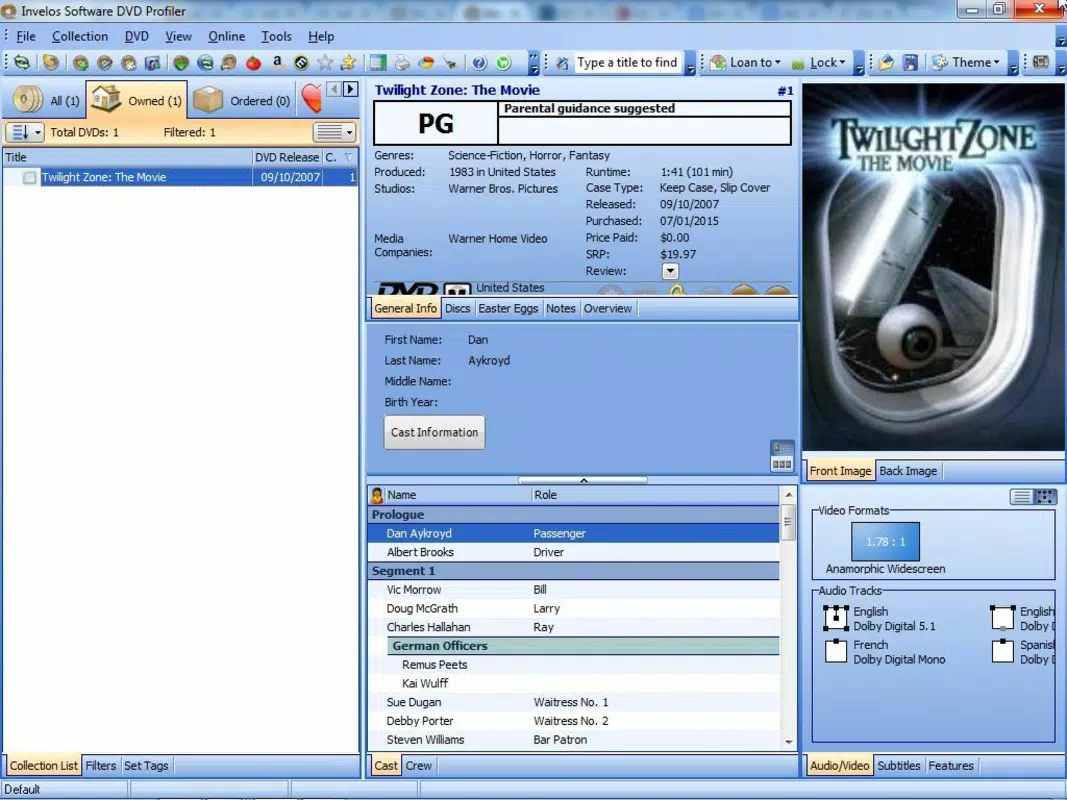
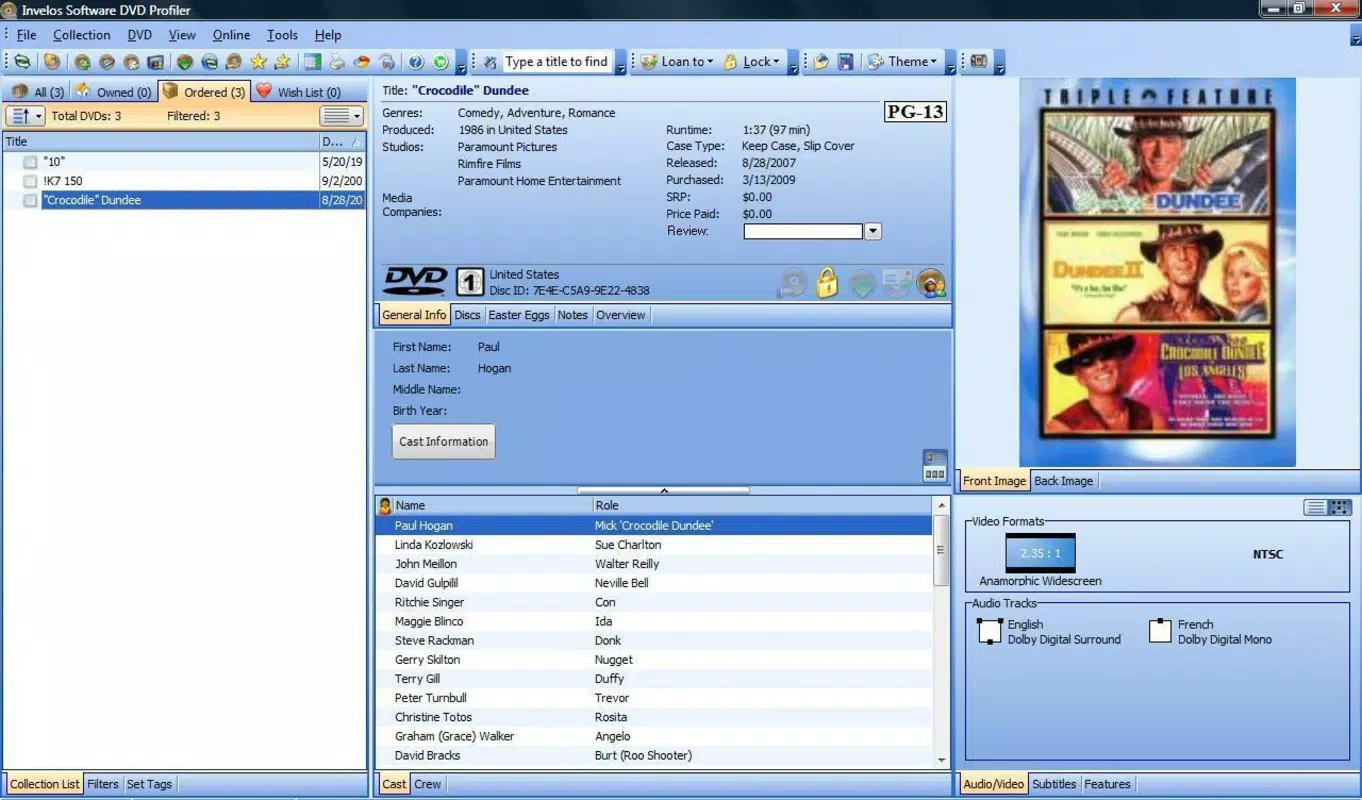
DVD Profiler features a clean, functional interface designed for efficiency and ease of use. The layout prioritizes accessibility, with clearly labeled sections for cataloging, searching, and viewing detailed film information. Navigation is intuitive, allowing users to move seamlessly between collection management, database queries, and export functions. The visual style is minimalistic, focusing on content rather than decorative elements, which enhances readability and reduces cognitive load.
Although the developer did not list formal performance metrics, the app’s design suggests responsiveness across various Windows device categories. Users can expect stable operation when cataloging DVDs, searching the database, or generating reports. The automated metadata retrieval process appears optimized to minimize delays, supporting smooth workflow execution. Stability is further reinforced by the app’s reliance on a well-established database infrastructure.
Users with older or lower-spec Windows systems may experience variable performance depending on hardware, but no specific requirements were listed. The app’s file size of 23.2 MB indicates a lightweight footprint, which contributes to efficient loading and operation. Overall, the user experience is tailored to the needs of dedicated collectors who value accuracy and functionality over flashy design.
Platform Compatibility & Technical Requirements
DVD Profiler is available exclusively for the Windows platform. The app’s latest version, released on September 22, 2020, is compatible with Windows operating systems, though specific OS requirements were not disclosed. The file size is 23.2 MB, indicating a compact installation that should not strain system resources.
While the developer did not specify minimum OS requirements, the app’s continued availability suggests compatibility with mainstream Windows versions. Users should ensure their system meets standard Windows installation criteria for software. The absence of mobile or web-based availability means the app is intended for desktop use only, positioning it as a dedicated tool for Windows users with physical DVD collections.
Pros and Cons
Pros
- Comprehensive database with user-curated, accurate film information
- Automated DVD cataloging reduces manual input time
- Supports printing and exporting for physical or shared records
- Rich media details including synopses, cast lists, and user reviews
- Full Spanish language support enhances accessibility
Cons
- Platform limited to Windows; no iOS or Android versions available
- Specific system requirements were not listed
- Price point of $19.99 may be high for casual users
- Requires physical DVD drive for full functionality
- No cloud sync or cross-device access
FAQ
Is DVD Profiler safe to download and install?
DVD Profiler is a legitimate desktop application developed by its official team. As long as it is downloaded from the official source, it is considered secure and free from malware.
Can I use DVD Profiler without a DVD drive?
The app’s automated cataloging feature requires a DVD drive to read disc metadata. While limited functionality may exist for manually entered data, full use of the app depends on physical disc access.
Is there a free version of DVD Profiler?
DVD Profiler is a paid application priced at $19.99. There is no free version or trial period mentioned in the provided information.
Does DVD Profiler support other media formats like Blu-ray or digital files?
The app is specifically designed for DVD collection management. No information was provided about support for Blu-ray, digital downloads, or streaming content.
How often is the database updated?
The database is continuously updated and corrected by the user community, ensuring that film information remains current and accurate over time.
Final Thoughts
DVD Profiler stands out as a powerful, niche tool for film collectors and serious enthusiasts who maintain physical DVD libraries. Its automated cataloging, rich database integration, and print/export features make it a reliable companion for organizing and exploring cinematic collections. The inclusion of Spanish language support and community-driven accuracy further enhances its value.
While the app is limited to Windows and requires a DVD drive, its focused functionality and long-standing reputation justify its price for dedicated users. It is not designed for casual viewers or those who rely solely on streaming services. For those committed to preserving and managing their physical media, DVD Profiler delivers a high level of utility and precision.
Download DVD Profiler now


